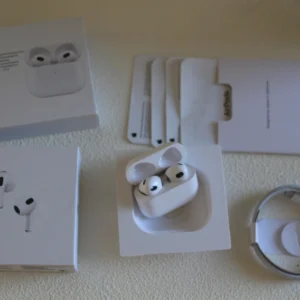
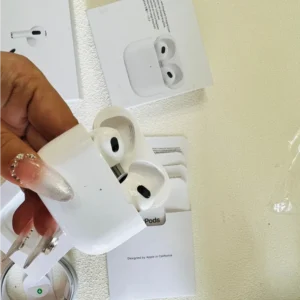
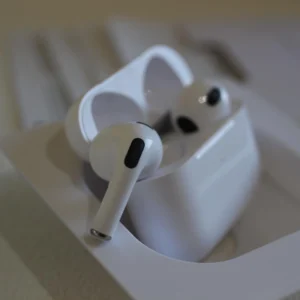
Apple finally dropped the AirPods Pro 3 at its September 2025 keynote, and after three weeks of testing, it’s clear this isn’t just a minor refresh. With a slimmer design, double the noise cancellation, and game-changing health features, it redefines what true wireless earbuds can do. But at $299, is it worth ditching your Pro 2? Let’s break down the highs, lows, and real-world performance.
Design: Smaller, Snugger, and More Portable
The first thing you’ll notice is how much lighter they feel. At 5.55g per earbud (down from 5.9g), and a charging case that’s 12% lighter (43.99g vs. 49.7g), the Pro 3 disappears in your ears and pocket . Apple’s 100,000+ hours of user research paid off: the new inward-rotating ear tips (available in 5 sizes) create a tighter seal without the “earplug fatigue” of older models. I wore them for a 2-hour run and a 4-hour work call—no slippage, no soreness.
The piano 烤漆 finish still fingerprints easily, but the U2 chip upgrade makes losing them way harder. The “Find My” feature now works from 1.5x farther away, and the case’s louder speaker cuts through café noise to help you track it down .
Sound & Noise Cancellation: Bass That Pops, Silence That Stays
Apple’s new porous acoustic architecture is a revelation. Bass hits harder (think thumping hip-hop beats without muddiness) while keeping vocals crisp—perfect for both podcasts and playlists. The personalized spatial audio, calibrated via your iPhone’s TrueDepth camera, makes movies feel like a theater experience, with sound “anchored” to your screen as you move your head .
But the star is the noise cancellation: 2x better than the Pro 2, and 4x better than the original . The foam-filled ear tips block subway rumble completely, and the 超低 – noise microphones snuff out office chatter. Even in a busy airport, I could focus on my audiobook without cranking the volume. Adaptive Audio also got smarter—it switches between noise cancellation and transparency mode faster when someone talks to you, with none of the awkward lag from last gen.
Game-Changing Health Features
This is where the Pro 3 truly shines. The tiny built-in heart rate sensor tracks your pulse in real time, and syncs with the Fitness app to log calories burned across 50+ workouts—from HIIT to cycling . I tested it against my Apple Watch Ultra 3 during a run, and the readings were nearly identical (within 2 BPM). Best of all, workout data feeds into your Activity Rings, so you don’t have to wear two devices to hit your goals.
My only gripe? It doesn’t track blood oxygen (yet). But for casual athletes or anyone who wants to monitor exertion without a watch, this is a game-changer.
AI Translation: Useful, But Not for Everyone
Powered by Apple Intelligence, the new real-time translation feature is impressive—when it works. Speak into the earbuds, and translated audio pipes through instantly (e.g., English to Japanese, Spanish to French). If both people wear Pro 3s, it enables seamless face-to-face conversations . The AI doesn’t just translate word-for-word; it adjusts for context (like formal vs. casual speech).
可惜的是,国行版 doesn’t support this feature yet—a big letdown for international travelers in China . Even in supported regions, it struggles with niche languages (I tried Korean, and it fumbled technical terms). Still, for frequent business travelers, it’s more convenient than fumbling with translation apps.
Battery Life: All-Day Listening, Fast Top-Ups
Apple’s 8-hour single-charge claim (with noise cancellation) holds up. I used them for 7 hours of calls, music, and workouts, and still had 15% left. With the charging case, you get 24 hours total—enough for a long weekend trip . The 5-minute quick charge gives 1 hour of use, which saved me when I forgot to plug them in before a meeting.
One surprise: training mode (for workouts) drops 续航 to 6.5 hours, but that’s still more than enough for most sessions.
The Downsides to Consider
- Price Jump: At \(299, it’s \)50 more than the Pro 2 launch price.
- No USB-C Cable: Apple still doesn’t include a charger—annoying if you don’t have a spare.
- App Gaps: Third-party fitness apps (like Strava) haven’t updated to support the heart rate sensor yet.
If you have the Pro 2, the upgrade is optional—unless you crave health tracking. But if you’re on the Pro 1 or older, it’s a no-brainer.
Pro Tips to Max Out Your Pro 3
- Calibrate Spatial Audio: Go to Settings > Bluetooth > AirPods Pro 3 > Customize Spatial Audio to scan your ears for the best sound.
- Save Battery in Workouts: Enable “Training Mode” in the Fitness app—it optimizes the sensor and cuts power use.
- Fix Fit Issues: Use the “Ear Tip Fit Test” (in Bluetooth settings) to find the right size—bad fit kills noise cancellation.
- Locate Fast: Say “Hey Siri, find my AirPods” to trigger the case’s speaker, even if it’s on silent.
Who Should Buy It?
Buy Now If:
- You want health tracking without a smartwatch.
- You travel often (and live in a region with translation support).
- You hate bulky earbuds but need top-tier noise cancellation.
Wait If:
- You just bought the Pro 2 (the upgrades aren’t life-changing).
- You’re on a budget (the AirPods 4 still works great for $179).
Final Verdict
The AirPods Pro 3 isn’t perfect, but it’s the most versatile TWS earbud on the market. The health tracking turns it into a mini fitness device, the sound is richer than ever, and the design fixes the Pro 2’s biggest flaws. For Apple ecosystem users, it’s the best way to stay connected, healthy, and immersed—even if the translation feature leaves some wanting.
If you’re ready to upgrade, grab the silicone case with a carabiner (sold separately)—you’ll thank me when you don’t lose the charging case.